Français
 English

In short
- A sleeve protects the laptop inside a bag you already own; a shoulder bag or a backpack carries it along with everything else.
- Choose the size from the laptop’s dimensions, not the screen diagonal: a 14-inch MacBook Pro does not fit every 13-inch sleeve.
- Padding all round and a raised base in the bag matter more than the thickness of the sleeve.
- Water-resistant fabric handles a shower; only a waterproof bag protects against immersion.
Finding the right size
The size in inches is the screen diagonal, not the laptop’s dimensions. Two 14-inch laptops can differ by more than a centimetre. Compare the sleeve’s inner dimensions with those of your machine:
| MacBook | Width × depth | Thickness |
|---|---|---|
| 13-inch MacBook Air (M2 and later) | 30.4 × 21.5 cm | 1.1 cm |
| 14-inch MacBook Pro | 31.3 × 22.1 cm | 1.6 cm |
| 15-inch MacBook Air | 34.0 × 23.8 cm | 1.2 cm |
| 16-inch MacBook Pro | 35.6 × 24.8 cm | 1.7 cm |
A sleeve that is too big lets the laptop slide and knock against the edges; one that is too tight strains the zip. If you keep a hard shell on your MacBook, allow a few extra millimetres. The 15-inch MacBook Air and the 16-inch MacBook Pro often share the same sleeve.
The sleeve: basic protection to slip into a bag
A sleeve does not replace a bag, it improves it. It protects against scratches from keys, the charger or a water bottle, and absorbs small knocks. It is also the answer for moving from room to room, or meeting to meeting, without carrying a bag.
What matters: padding on both faces and the edges, a zip that does not rub the aluminium, and an outer pocket for the charger.
Native Union’s Ultralight is made from recycled, water-resistant ripstop fabric, with recycled foam padding and a zipped front pocket. It also comes for the 14-inch MacBook Pro and for the 15-inch MacBook Air and 16-inch MacBook Pro. For a smarter look, the W.F.A Stow Lite pairs a black exterior with a kraft-style flap.
Tomtoc Defender sleeves, with corners reinforced against drops, are coming soon to iD FOR YOU in 13, 14, 15 and 16-inch sizes.
The shoulder bag: the laptop and the essentials, on one shoulder
A shoulder bag suits short journeys and days full of meetings: it opens quickly and you take the laptop out without removing a bag from your back. Its limit: all the weight rests on one shoulder. Beyond the laptop, a charger and a few accessories, a backpack is better.
be.ez’s LE Reporter Pro holds a 13 to 15-inch MacBook, with zipped pockets for cables, a wallet or a passport. Its waterproof coating and Velcro flap make it ready for rainy days.
The backpack: for long journeys and cycling
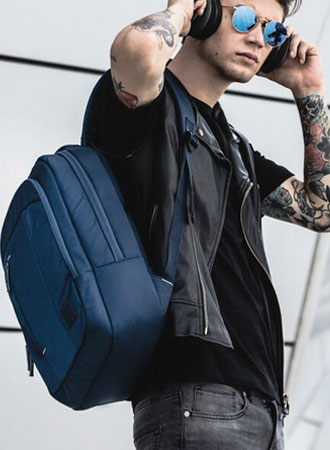
A backpack spreads the weight over both shoulders: it is the best choice for long walks, cycling or travelling. Check three things: a padded laptop compartment, a base that keeps the laptop off the ground when you put the bag down, and adjustable straps.
Incase’s City Compact protects a MacBook Pro of up to 16 inches in a fleece-lined compartment. It adds a lined iPhone pocket, two hidden zipped pockets and padded straps.
For cycling or commuting in the rain, the UAG Rolltop 18 L DRYOUT backpack closes by rolling the top and wicks away moisture. It is not waterproof against immersion, but your devices stay dry after a shower. Bellroy completes the selection with the Transit Workpack 20 L backpack, the Lite Travel Pack 30 L and the Tokyo Work Bag 16-inch laptop bag, all available at iD FOR YOU.
Organising cables and the charger
A charger and cables thrown into the bottom of the bag end up scratching the laptop. A pouch keeps them together and saves time when you arrive. Bellroy’s Tech Kit opens flat: a magnetic pocket holds the power bank, mesh pockets keep chargers in place and an elastic strap tidies the cables.
Our tips for protecting your laptop
- Put the laptop to sleep or shut it down before packing it: a laptop left running in a closed bag heats up.
- Do not set the bag down on the side where the laptop sits, and do not slide it under an aircraft seat where it can be crushed.
- Do not leave anything thick between the screen and the keyboard: an earbud or a pen can mark the screen once the bag is squeezed.
- Dry the sleeve or the bag if it has been rained on before putting the laptop back in.
Frequently asked questions
Does a 13-inch sleeve fit a 14-inch MacBook Pro?
Rarely. The 14-inch MacBook Pro measures 31.3 × 22.1 cm, more than most 13-inch sleeves. Choose a sleeve sold for the 14-inch model.
Which sleeve for a 15-inch MacBook Air?
A 15-inch sleeve, or a “15-16 inch” sleeve designed for both the 15-inch MacBook Air and the 16-inch MacBook Pro.
Do I need a sleeve if my backpack already has a compartment?
Not necessarily. It is still useful if you often take the laptop out of the bag or if the compartment has little padding.
Is a water-resistant sleeve enough in the rain?
For a shower, yes. For prolonged rain or a risk of immersion, you need a waterproof bag.
Can I keep a hard shell on inside a sleeve?
Yes, as long as you allow a few extra millimetres. Try the zip: it should close without forcing.